When you install Vista Service Pack 1 the old GPMC.MSC control panel is removed. The reason for this is that there is a new and improved Group Policy management tool released in the Remote Server Administration Tool kit that was released slightly after Service Pack 1 was released to the public.
One of the new features of the new Group Policy management tool is that you can filter policy settings. Directly under “Administrative templates” for both Computer and User Configuration there is a new “All settings” category which lists all settings in “Administrative templates”. If you select “All settings” you might then right click anywhere and choose “Filter options”. It looks like the screenshot below.
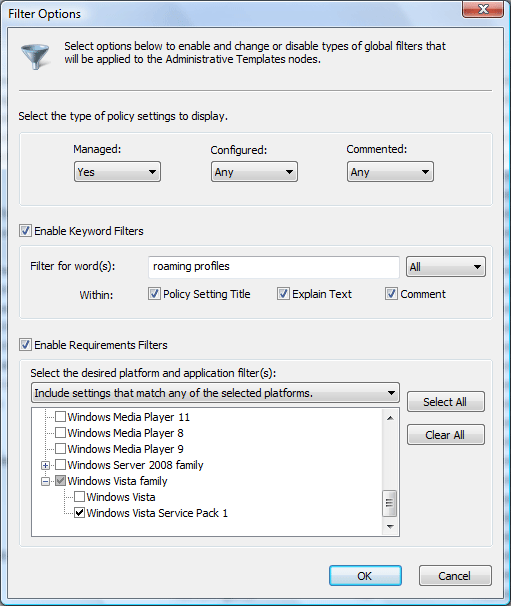
By entering the information you are looking for it is very easy to find the group policy settings that you are looking for. This is becoming more and more necessary as the number of policies grows by hundreds or nearly a thousand for every new Windows version released and it is hard to find the setting one is looking for.
Download Remote Server Administration Tools (x86)
Download Remote Server Administration Tools (x64)
 However using a group policy setting (Computer Configuration > Administrative Templates > Windows Components > BitLocker Drive Encryption > Turn on BitLocker backup to Active Directory) you can also backup the recovery key to Active Directory, which is a very good suggestion I must say. If you are running Windows Server 2008 you do not have to anything to get this working but if you would like to use Windows Server 2003 with SP1 or later to backup the BitLocker recovery key you must use scripts provided by Microsoft to extend the schema.